Campaign Dashboard
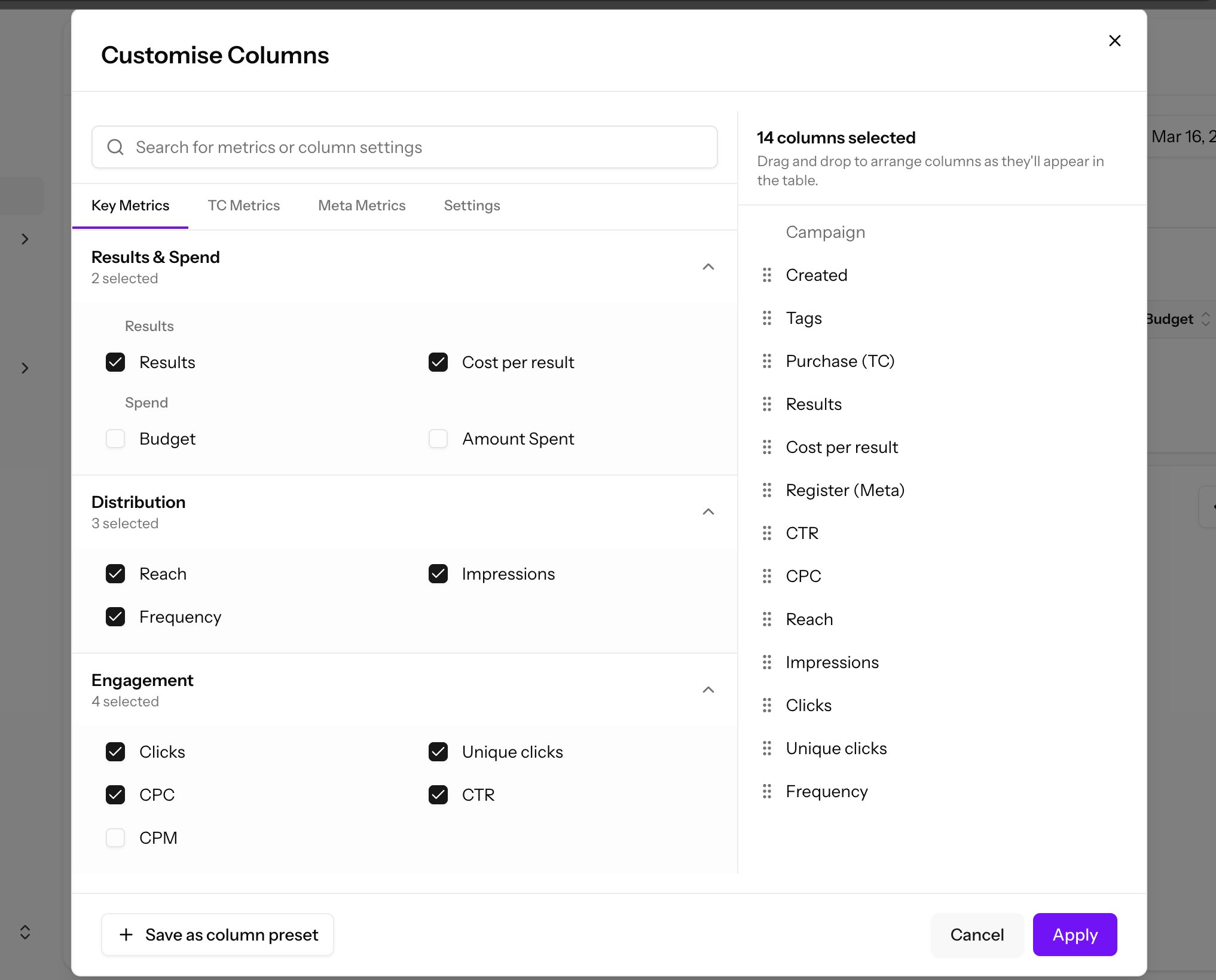
Monitor and manage your active campaigns from the Campaign Dashboard.
Campaign Dashboard
You can see all your ongoing campaigns in the "Campaign" tab.
Campaign Functions
The campaign dashboard provides several management tools:
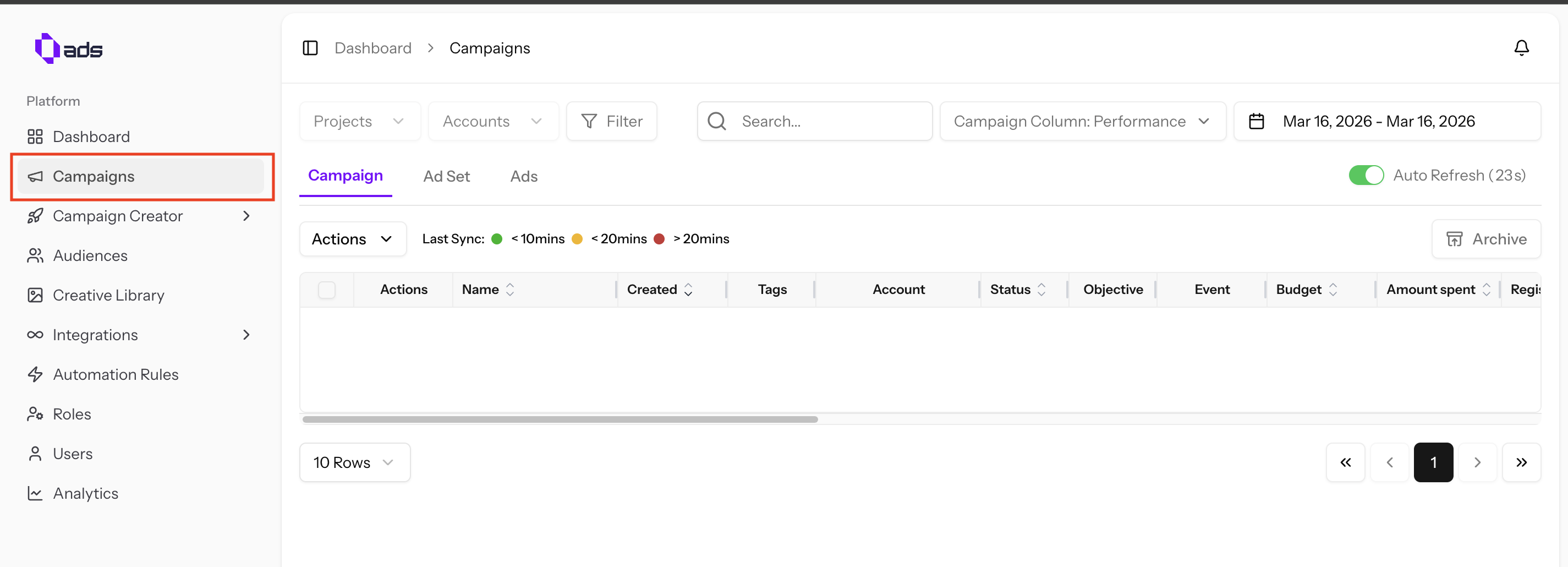
- Archive — Archive campaigns you no longer wish to keep in 0ads
- Restore Archived — Find archived campaigns using the button at the top right
- Tagging — Add tags to your campaigns for better organization and filtering
Compare & Duplicate
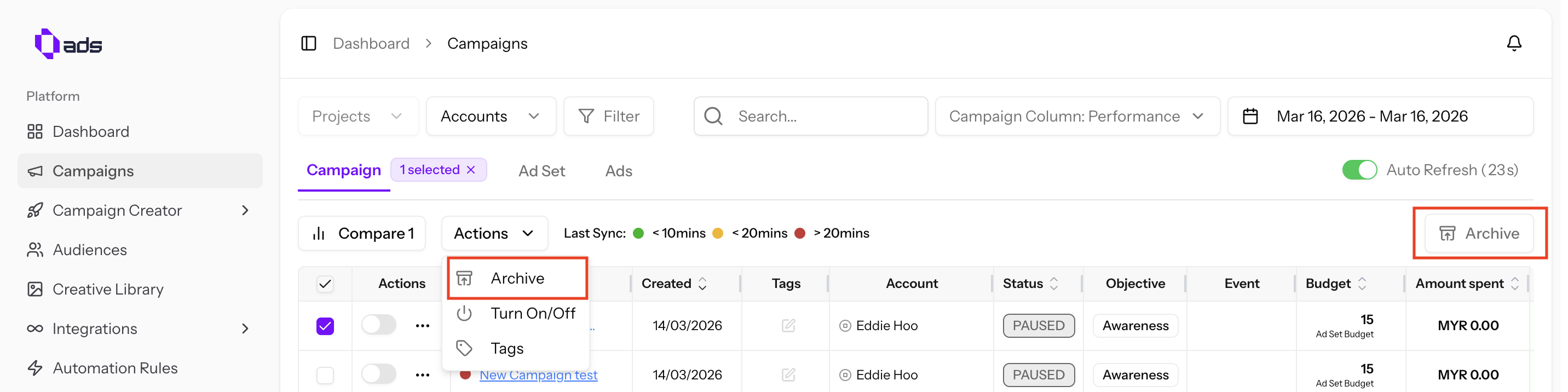
- Compare — Select multiple campaigns to compare their metrics side by side
- Duplicate — Select a campaign and click "Duplicate" to create an identical copy and publish it to Meta
Customizing Dashboard Columns
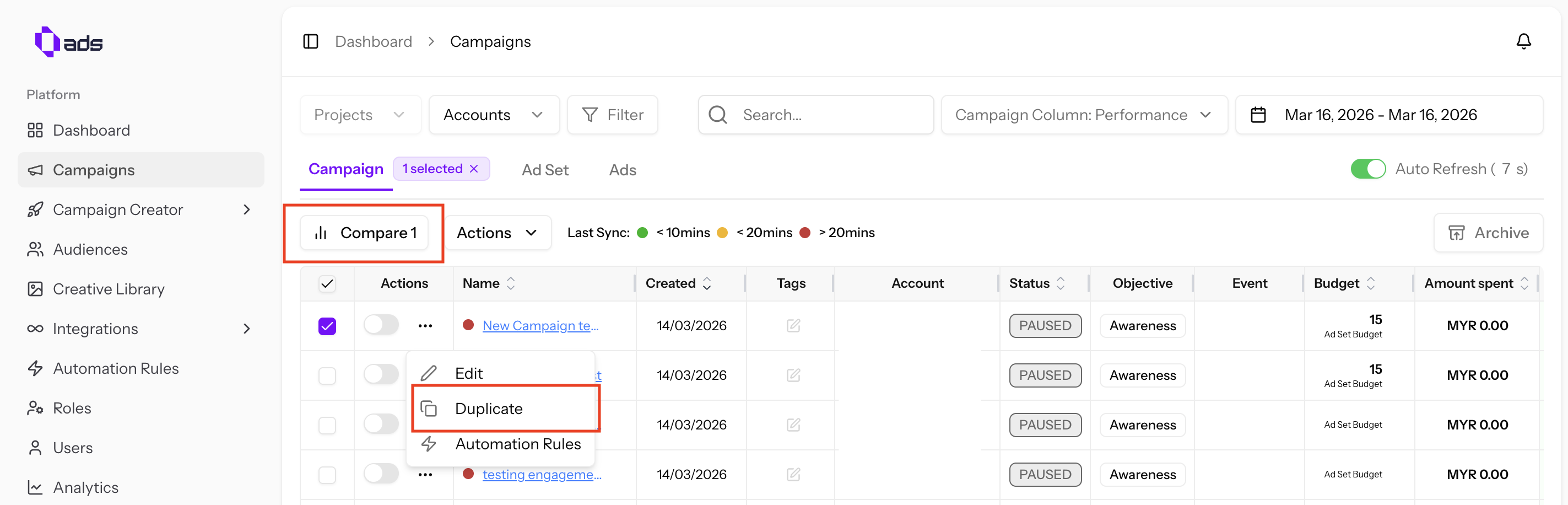
You can customize which columns appear in your campaign dashboard.
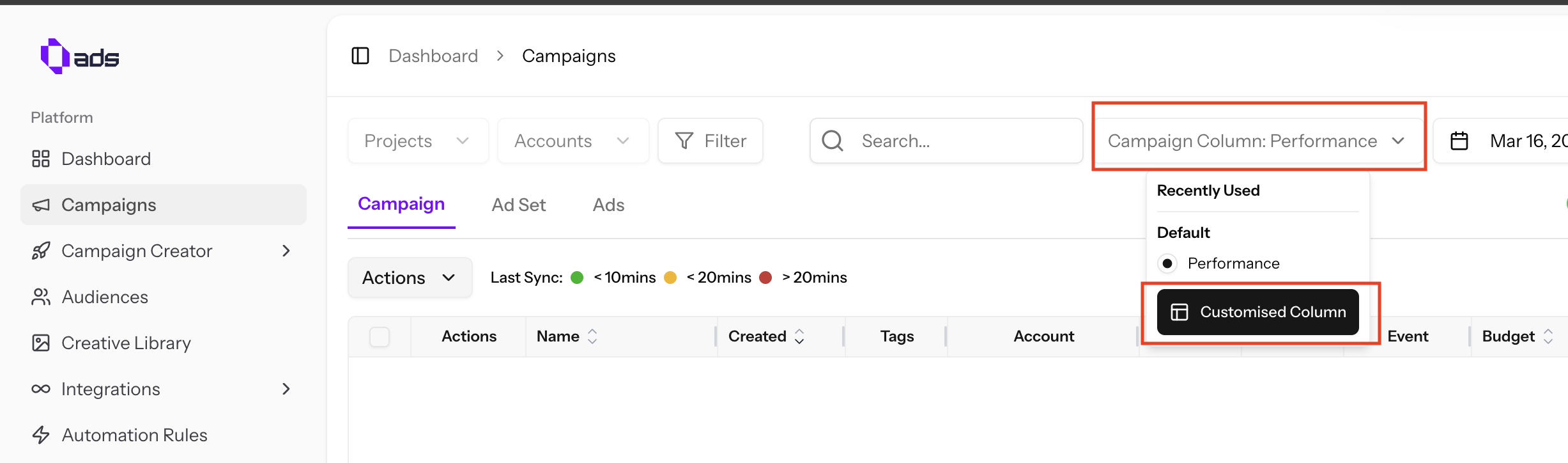
Save Column Presets
Save your customized dashboard columns as a preset for quick access:
- Customize your columns
- Click "Save as preset"
- Apply your saved presets anytime