Automation Rules
Set up automated rules to control your campaigns based on conditions.
Automation Rules
Automation Rules let you set up conditions and actions that run automatically, helping you manage campaigns without constant manual monitoring.
Connecting Telegram
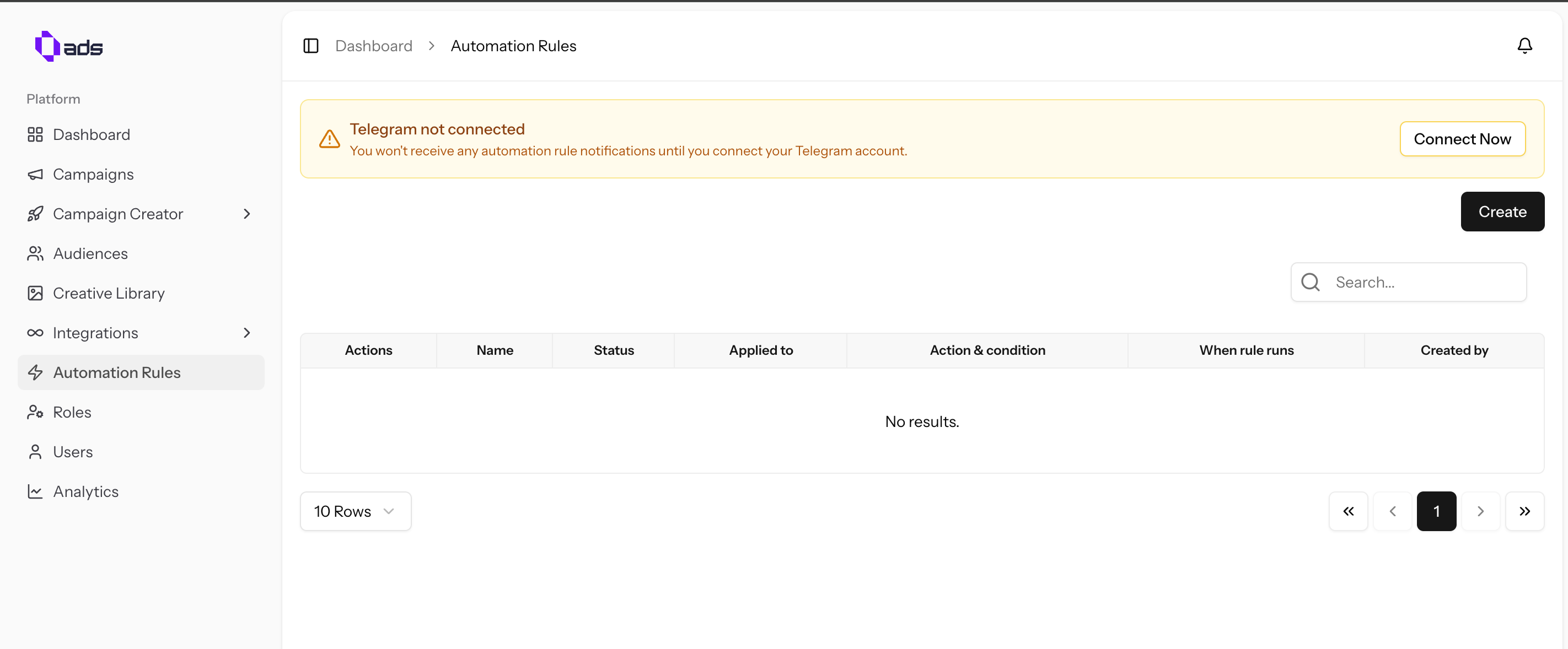
Before using automation notifications, connect your Telegram account:
- In Automation Rules, click "Telegram Connect" to bind your Telegram account
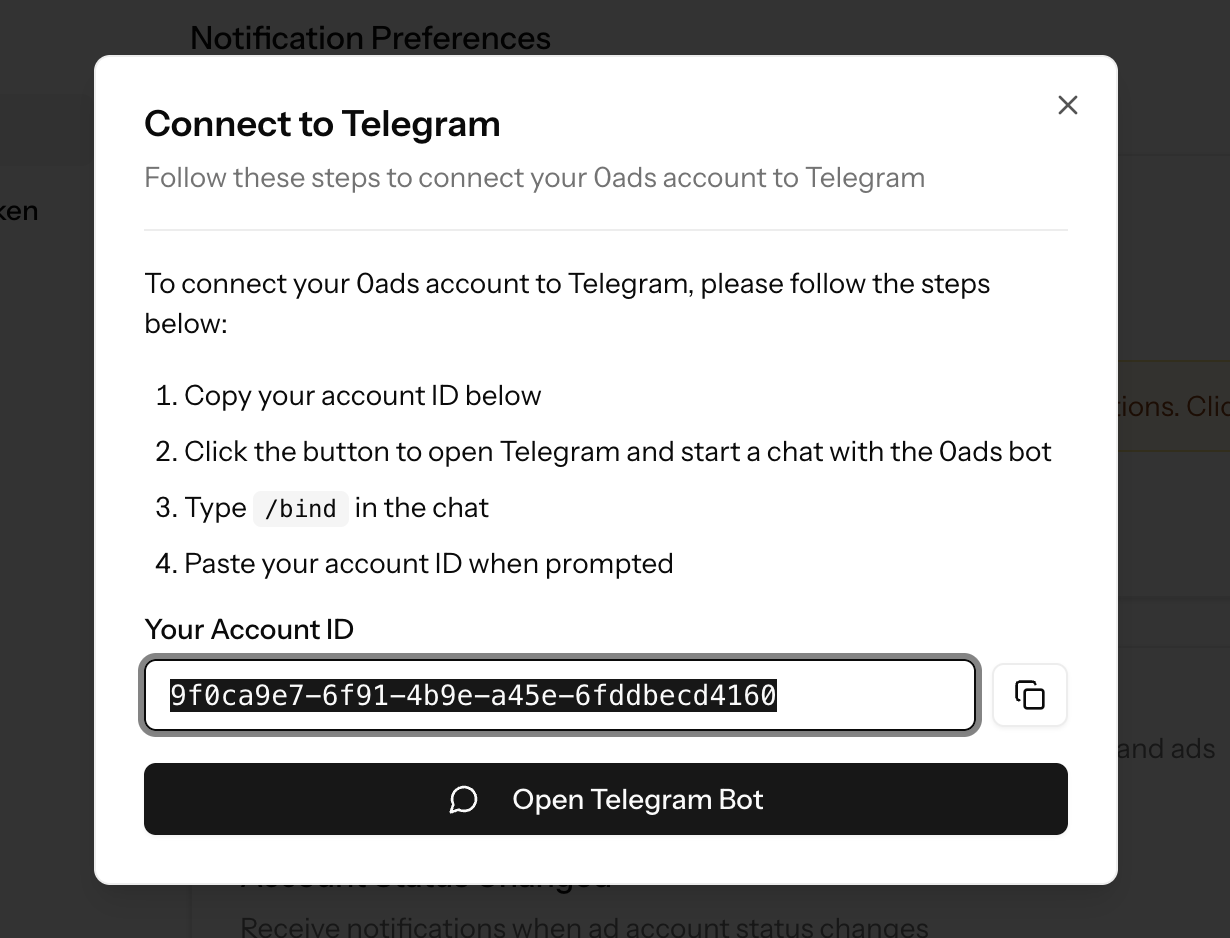
- You will be directed to a webpage — click "Start Bot"

- Follow the on-screen steps to complete the Telegram binding
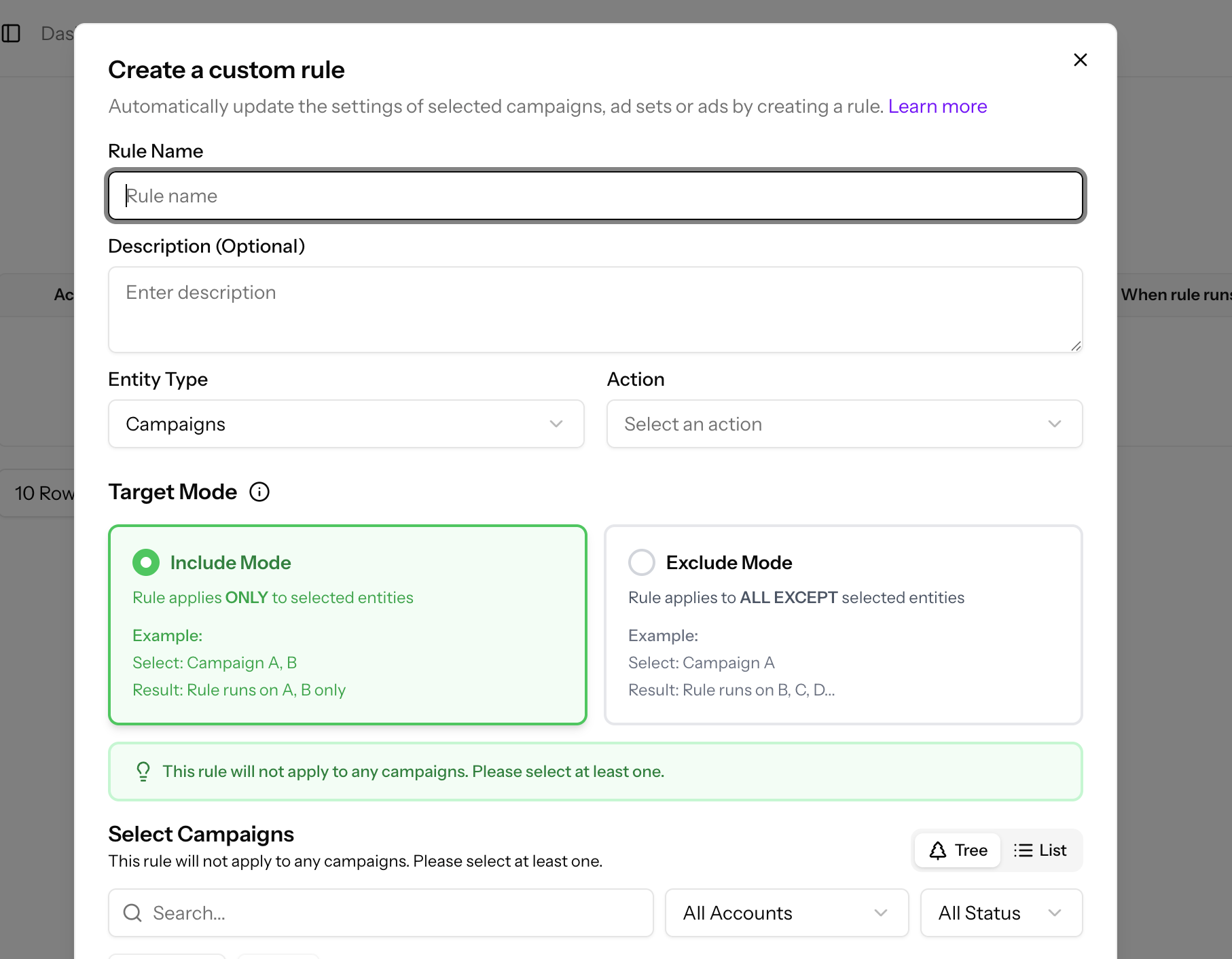
Creating Automation Rules
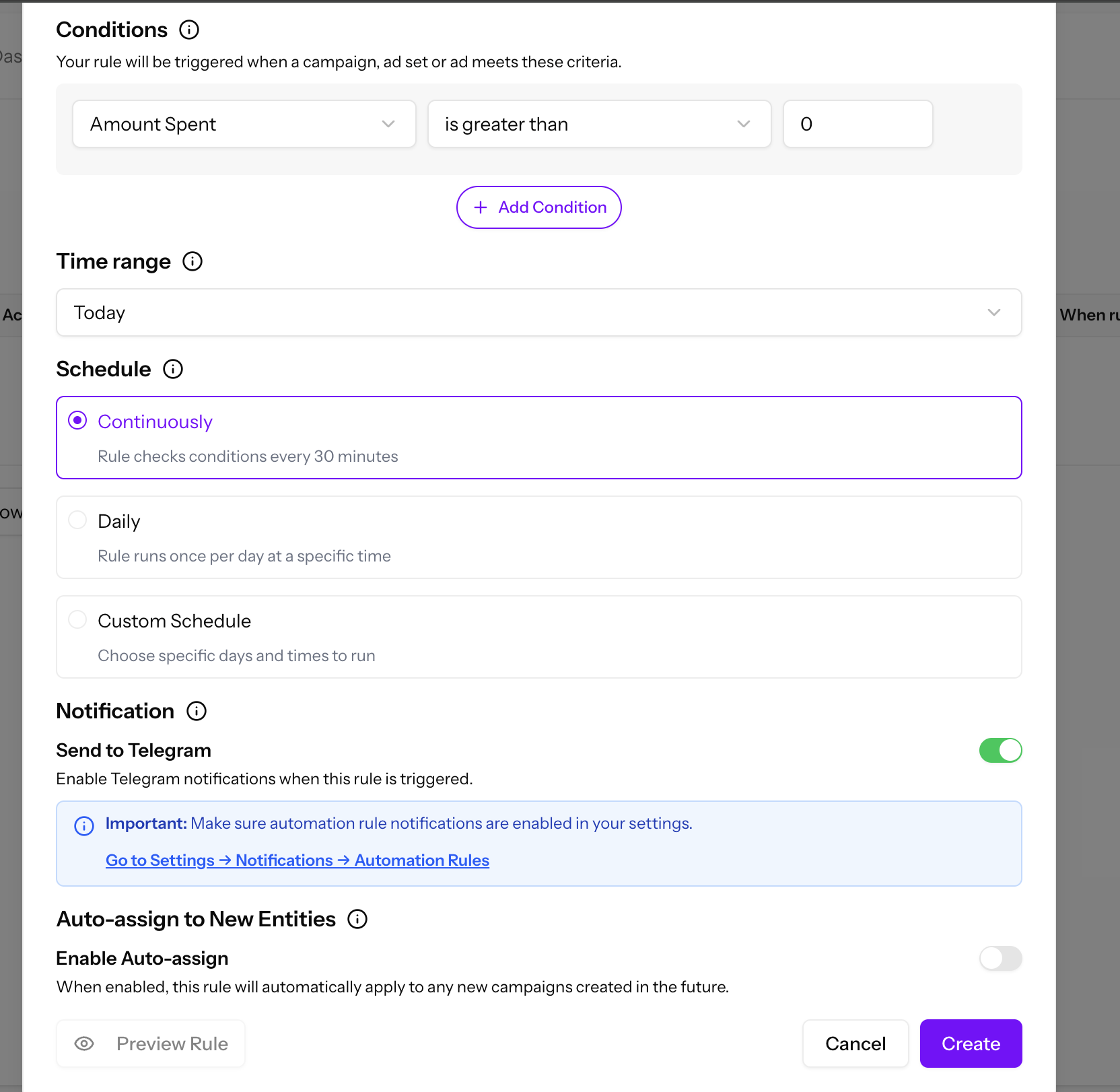
After binding your Telegram account, you can set up automation rules to control desired actions when conditions are met.
For example:
- Pause ads when spending exceeds a threshold
- Increase budget for high-performing campaigns
- Send alerts when key metrics change